Pagebox guide / build slide decks with html
Build slide decks and more with HTML
Build a working six-slide deck in the browser, then use the same HTML approach for reports, demos, proposals, calculators, and portfolios.
Quick answer
This guide builds a six-slide Northstar launch deck with semantic sections, responsive CSS, keyboard navigation, print styles, and browser-native charts. The same structure works for a live report, product demo, proposal, calculator, portfolio, or another self-contained page that people need to open and share.
Start with a real decision deck
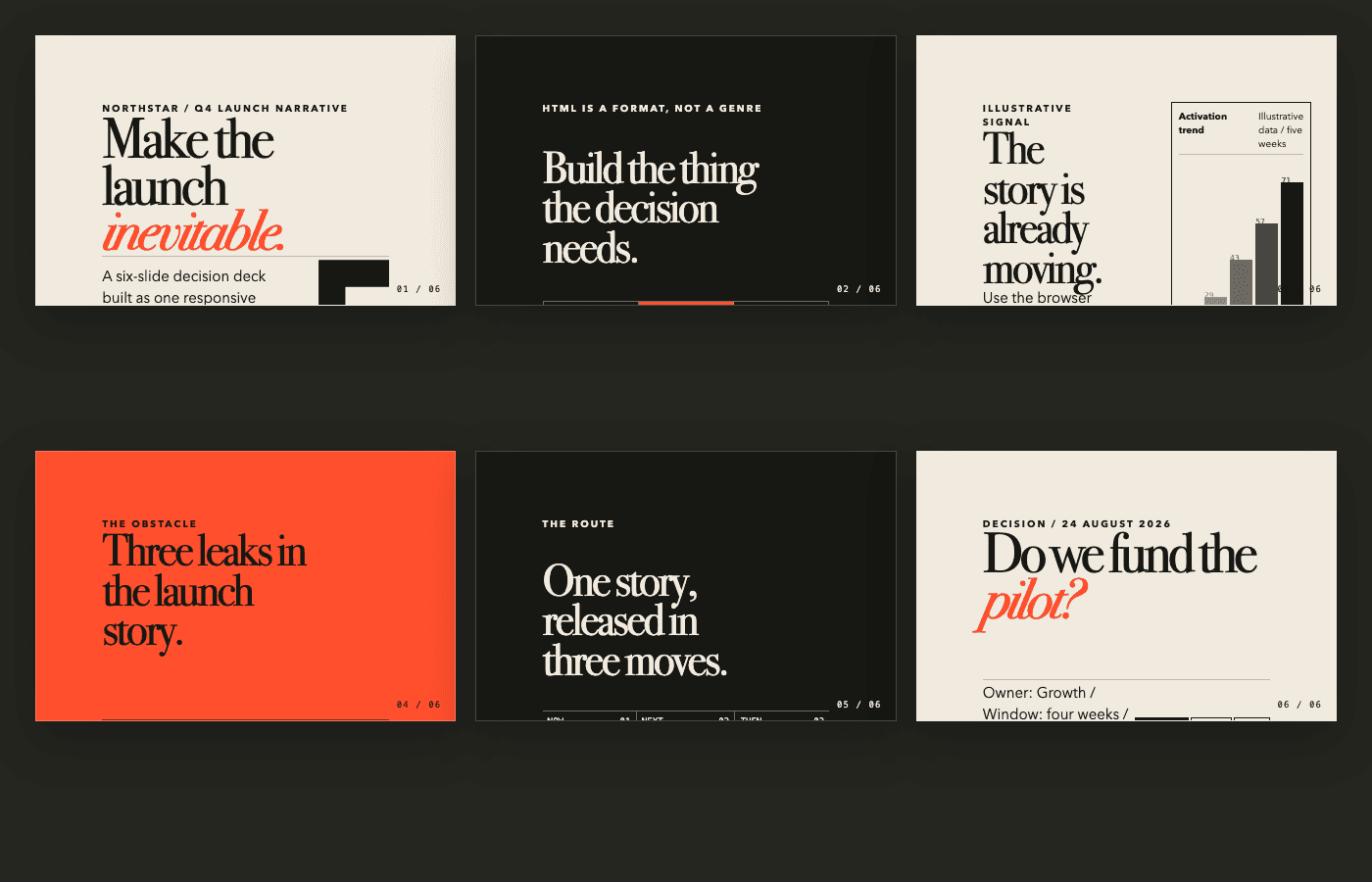
The example is a six-slide launch recommendation for a fictional product called Northstar. It moves from the opening argument to an artifact menu, an illustrative signal, the launch problem, a three-step plan, and the final decision. The browser renders every slide from index.html. The overview below comes from the working deck's storyboard mode.
Write the decision before you touch the design. For Northstar, the team needs to approve a four-week launch pilot. Each slide earns its place by helping the audience make that call. Colors, transitions, and charts come later.
- Artifact: six-slide Q4 launch recommendation
- Audience: the team deciding whether to fund a pilot
- Final action: approve, revise, or hold the plan
Choose what the HTML should become
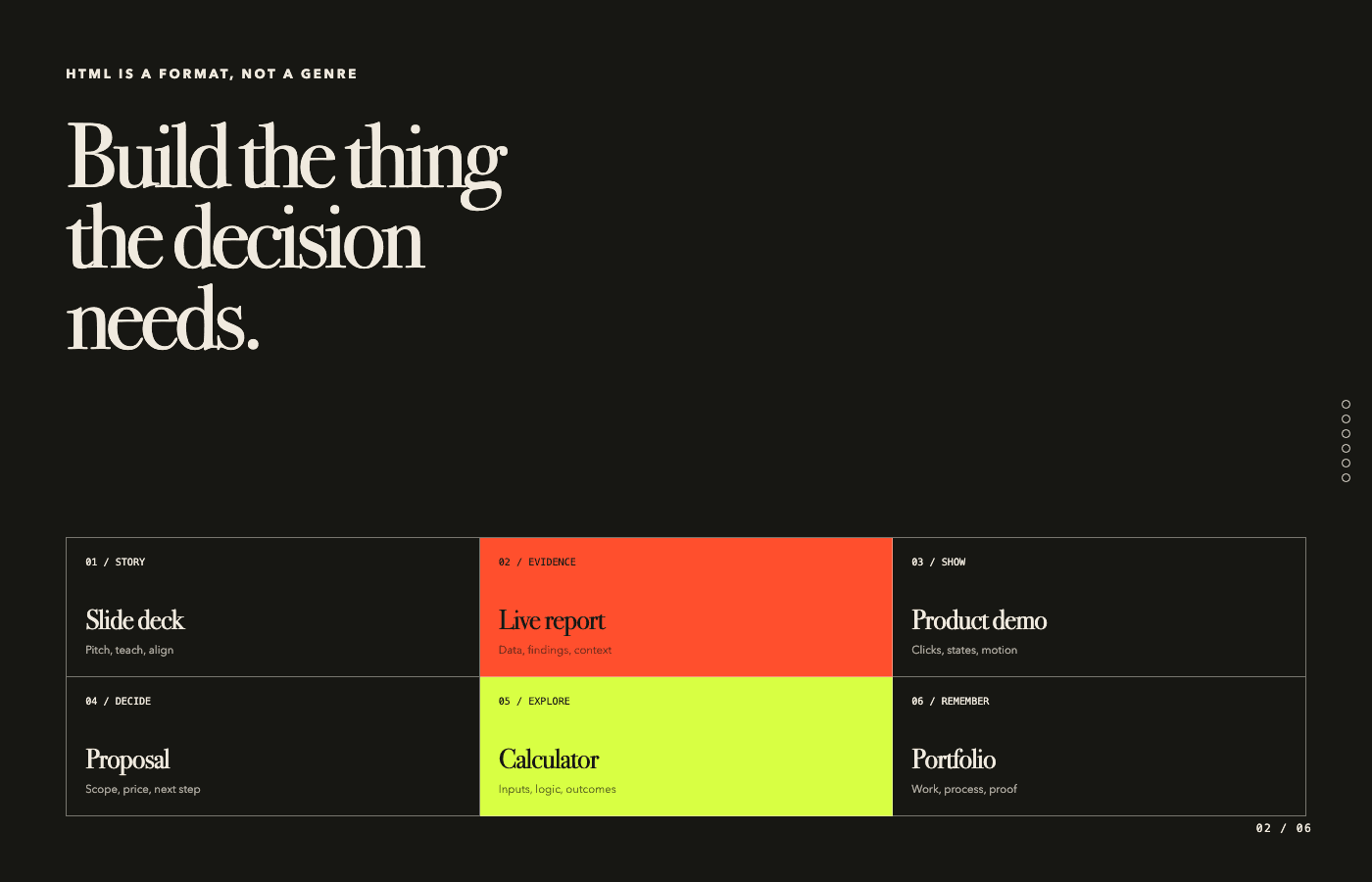
Choose the format around the audience's job. A deck gives a presenter control over sequence. A live report lets readers inspect current evidence at their own pace. A product demo exposes working states. A proposal puts scope, price, and the next step together. A calculator accepts inputs and shows an outcome. A portfolio connects finished work to the process behind it.
Use slides for a paced story, a long page for independent reading, controls for exploration, and a one-pager for a quick decision. The same source material can take a different shape when the audience's job changes. The Northstar deck includes this menu as a working slide.
- Tell a sequence: slide deck, lesson, or keynote
- Explain evidence: report, case study, or data story
- Invite interaction: prototype, demo, or calculator
- Make a decision: proposal, brief, or one-pager
- Show a body of work: portfolio or campaign recap
Copy, paste, and fill in the brackets
Use the first prompt when you already know the material belongs in a presentation. Use the second when the final format is still open. Use the third to revise a working deck. Fill every bracket, paste the source material at the end, and delete any requirement that does not help your audience.
Each prompt asks for working files. It also sets the decision, narrative, responsive behavior, evidence rules, and delivery format. Keep source material below the instructions so the model can separate supplied facts from illustrative content.
Ready-to-use prompt
Build a slide deck from a brief
Use this when you have notes, a memo, research, or a proposal and already know the output should be a presentation.
Create a self-contained HTML slide deck from the source material below.

OUTCOME
- Decision or action: [what the audience should decide or do]
- Audience: [who will see it and what they already know]
- Presentation length: [for example, 7 minutes]
- Tone: [for example, rigorous, editorial, optimistic, direct]

NARRATIVE
- Build 6 to 10 slides with one dominant idea per slide.
- Open with the central promise or tension, not an agenda slide.
- Turn evidence into a clear sequence: context, signal, problem, response, plan, decision.
- End with one explicit decision, owner, and next step.

DESIGN AND BEHAVIOR
- Use semantic sections as slides and give every slide a stable id.
- Make the deck responsive at laptop, projector, tablet, and phone widths.
- Support Arrow keys, Page Up, Page Down, Space, scrolling, and touch.
- Add a quiet progress or slide-number treatment.
- Add print CSS so each slide becomes one coherent PDF page.
- Use accessible contrast, visible focus states, and reduced-motion behavior.
- Avoid external dependencies unless the source material requires one.

ACCURACY
- Use only facts present in the source material.
- Label fictional, placeholder, or illustrative data inside the deck.
- Preserve source links for factual claims.
- Do not invent customer quotes, metrics, dates, or outcomes.

DELIVERABLE
- Return a complete index.html file with embedded CSS and JavaScript.
- Keep the file readable enough for a person to revise.
- After the code, list any assumptions and the three highest-value edits to make next.

SOURCE MATERIAL
[Paste the brief, notes, data, and links here]
Ready-to-use prompt
Choose and build the right HTML artifact
Use this when the material could become a deck, report, demo, proposal, calculator, portfolio, or another browser-based format.
Turn the source material below into the most useful self-contained HTML artifact.

First choose one primary format:
- slide deck for a paced story
- live report for evidence and independent reading
- product demo for states and interactions
- proposal for scope, price, and a next step
- calculator for inputs, logic, and outcomes
- portfolio or case study for work, process, and proof
- another format if it serves the audience better

Before building, state your choice in two sentences:
1. What the audience needs to do.
2. Why this format supports that job better than the alternatives.

BUILD REQUIREMENTS
- Create one complete, responsive index.html file.
- Establish a clear reading or interaction path.
- Use semantic HTML, accessible controls, and visible focus states.
- Keep the main conclusion available without requiring animation.
- Use supplied facts only and label illustrative content.
- Preserve useful source links.
- Include print styles when a PDF copy would be useful.
- Package any required local assets with stable relative paths.

AUDIENCE AND JOB
- Audience: [who will use it]
- Job: [what they need to understand, explore, or decide]
- Constraints: [time, device, brand, privacy, or file limits]

SOURCE MATERIAL
[Paste the source material here]
Ready-to-use prompt
Improve an existing HTML deck
Use this when the deck already works but its story, readability, interaction, or print behavior needs a disciplined revision.
Audit and revise the existing HTML deck below.

PRESERVE
- Keep every verified fact, source link, and required brand element.
- Keep the original decision or call to action unless the source material contradicts it.
- Keep the project self-contained unless I explicitly approve a dependency.

IMPROVE
- Give each slide one dominant idea and remove repeated setup.
- Strengthen the sequence from opening tension to final decision.
- Shorten copy that is being used as decoration rather than evidence.
- Make type, spacing, charts, and controls legible at the actual presentation size.
- Fix overflow at laptop, tablet, and phone widths.
- Support keyboard, scrolling, touch, visible focus, and reduced motion.
- Add or repair print CSS so each slide exports as one coherent PDF page.
- Label illustrative data and flag any unsupported claim instead of rewriting it as fact.

RETURN
1. The complete revised files.
2. A short list of the narrative changes and why each one helps.
3. A list of unresolved factual, accessibility, or packaging risks.
4. A five-step manual review checklist for the finished deck.

CONTEXT
- Audience: [who will see it]
- Decision or action: [what should happen after the final slide]
- Presentation environment: [browser, screen size, time limit, PDF need]

EXISTING DECK
[Paste the HTML, CSS, and JavaScript here]Structure one slide per section
A small deck can use one scrolling container with a section element for each slide. CSS scroll snap aligns each section to the viewport as the reader moves. Headings, lists, charts, and links keep their browser semantics instead of becoming pixels in a screenshot.
The container owns vertical scrolling and scroll-snap-type. Each slide fills the viewport and declares scroll-snap-align. Give every section a stable id so you can link to a specific slide. If you later need speaker notes, fragments, nested slides, or a dedicated PDF workflow, reveal.js adds those features while keeping HTML as the authoring format.
- Use one section element for each complete idea.
- Give each slide a stable id for direct links and navigation.
- Keep the reading order correct before adding presentation behavior.
.deck {
  height: 100vh;
  overflow-y: auto;
  scroll-snap-type: y mandatory;
}
.slide {
  min-height: 100vh;
  scroll-snap-align: start;
}Design for screen, keyboard, and print
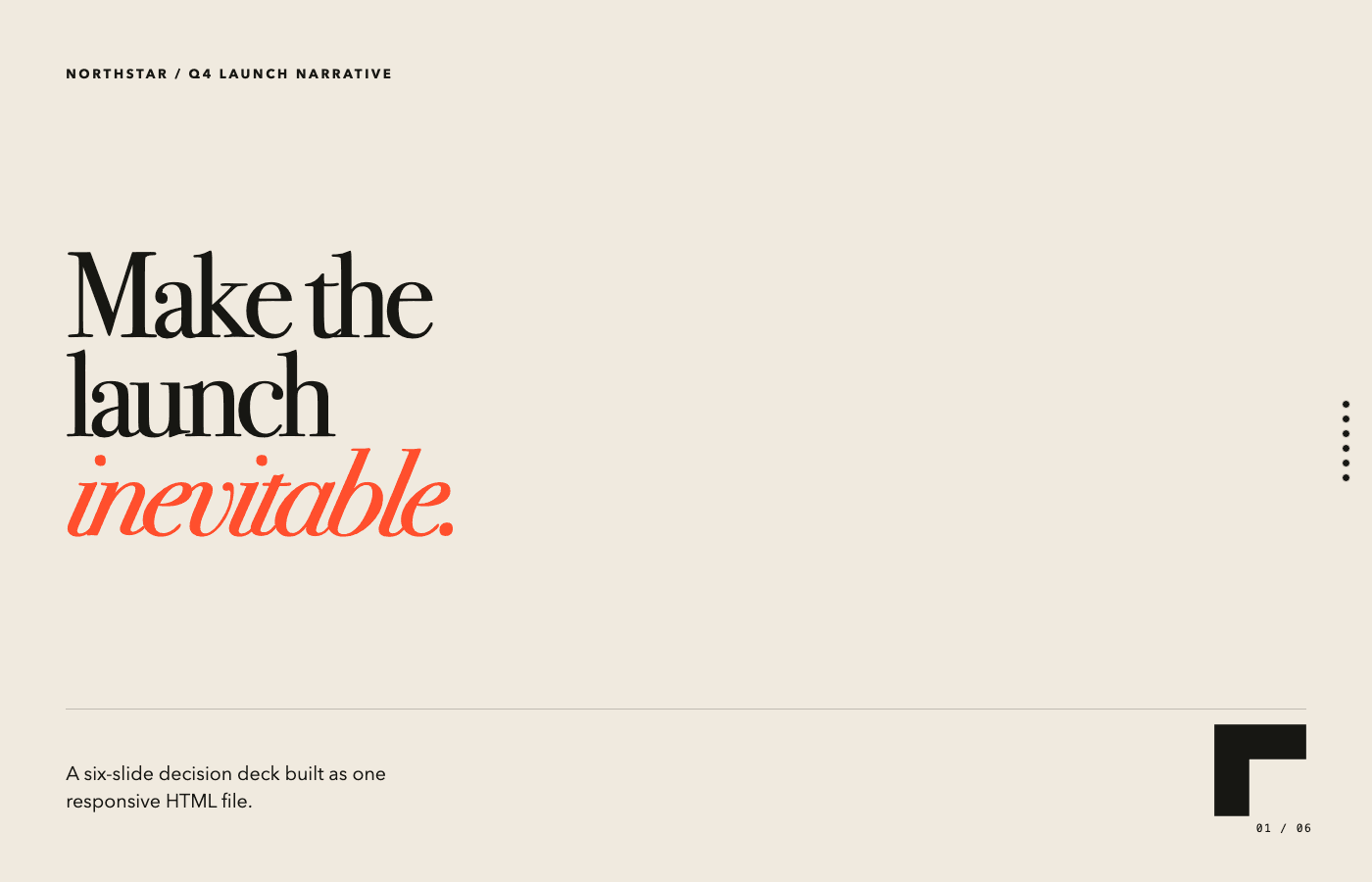
The Northstar cover uses selectable type, responsive spacing, a stable folio, and a narrow navigation rail. The layout scales with the viewport instead of assuming one projector size. Arrow keys, Page Up, Page Down, and Space move through the slides. Trackpad and touch scrolling still work.
Add a print media query before you export the deck as a PDF. It can remove navigation, put each slide on its own printed page, and adjust screen-only treatments. A present button can call the Fullscreen API, but the browser requires a user action first. The page should remain usable when fullscreen is unavailable.
- Test the deck at the laptop size that will actually present it.
- Preserve scrolling and touch instead of requiring a keyboard.
- Create a print treatment before relying on browser-to-PDF output.
- Request fullscreen only from an explicit user action.
Use the browser for evidence
The Northstar signal slide draws an illustrative five-week chart from five HTML elements and their CSS heights. A real report could read a local data file, filter a table, reveal an annotation, play a product recording, or compare scenarios. Add interaction when it helps someone inspect a claim.
Mark illustrative information clearly and attach sources to real claims. The deck should still make sense when scripts fail or motion is reduced. Give each chart a heading, a short interpretation, an accessible label, and visible values before you animate it. That baseline also prints cleanly.
- Build simple charts from semantic values before adding motion.
- Label fictional or illustrative numbers inside the artifact.
- Keep the conclusion visible without requiring an interaction.
- Use controls only when the audience benefits from exploring the evidence.
Open the sample and take the files
The Northstar deck below is the working example from this guide. Open it in a new tab and move through the slides with the arrow keys, Space, scrolling, or touch. The source pack contains the HTML, CSS, JavaScript, and local SVG artwork used by the live version.
Download the zip, open index.html locally, and replace the sample story with your own brief. The prompt is written for this exact folder structure, so you can copy it first and keep the requirements that matter to your project.
Source pack 01
Northstar launch deck
A six-slide decision deck with responsive layouts, keyboard navigation, print styles, browser-native charts, and local artwork.
- index.html
- styles.css
- deck.js
- images/northstar-mark.svg
- images/signal-grid.svg
Ready-to-use prompt
Rebuild this deck with your own brief
Use the downloaded folder as the starting point for a new decision deck.
Rebuild the Northstar HTML deck from the brief below.

- Keep the source split into index.html, styles.css, and deck.js.
- Replace the sample story, metrics, decision, and owner with material from the brief.
- Keep six slides only if the story needs six; remove or add slides when the decision requires it.
- Update the CSS color and type variables to fit the subject.
- Replace the local SVG artwork or revise its alt text.
- Preserve keyboard navigation, scroll snapping, responsive layouts, visible focus, and print styles.
- Label illustrative data and keep factual claims tied to the supplied material.
- Return the complete folder with working relative paths.

BRIEF
[Paste your source material here]Run the final deck checklist
Review the deck as a presenter and as a recipient. Move through every slide with a keyboard, a trackpad, and a narrow viewport. Follow each link, inspect each chart label, and open print preview. Ask someone who did not build it to state the final decision in one sentence. If they cannot, fix the sequence before polishing the visuals again.
Northstar needs six slides, one recommendation, and one final decision. Other HTML artifacts need a different test. A calculator should make its inputs and result obvious. A report should make evidence traceable. A demo should expose the states the audience needs to understand. Build the smallest complete page that lets the audience act.
- Every slide has one dominant idea.
- The complete sequence works without presentation controls.
- Text and charts remain legible at the actual display size.
- Print preview creates one coherent page per slide.
- The final slide asks for a specific decision or next step.
- The shared link opens for the intended audience.
Have a page ready?
Drop the files. Share one link.